
Import drill hole collars and surveys from Excel, CSV or SHP
How to load collars, surveys and historical drill hole data into your project from Excel, CSV, TAB, SHP and other standard formats.
Import drill hole collars and surveys from Excel, CSV or SHP
Import data
From the  Resource Manager (see Resource Manager), tables from other projects, devices, or external databases can be loaded in TAB, XLS/XLSX, CSV, or SHP format.
CSV. It is imported just like an Excel file: pick it in the file browser and the application detects the separator (comma, semicolon or tab) and the encoding on its own. ⚠️ Unlike an .xlsx, a CSV does not store each column's type: the application infers it from the values, so it is worth checking the column mapping before confirming — especially for identifiers with leading zeros and for dates.
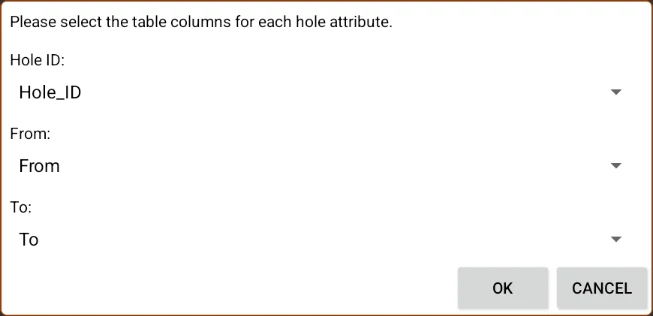
When importing a table with drillhole data, Field Manager will ask you to assign the columns corresponding to the drillhole attributes:
- Hole ID:: Column that contains the drillhole identifier.
- From: Column that indicates the starting depth of the interval.
- To: Column that indicates the ending depth of the interval.
Once the columns are assigned and the import confirmed, the table becomes available in the layer menu. A dynamic style can be configured to display it in the strip log the same way as tables recorded directly on the device.
If the imported table contains data from several drillholes, the hole selector will list all the available identifiers and allow navigating between them. Exporting the drillhole tables is done from the same place and with the same options as the rest of the project resources (see Resource Manager).
You've read enough. Try it with your own project.
20 days free, with your data. If you get stuck: the manual — and us.
Secure payment with Stripe · Cancel anytime.